

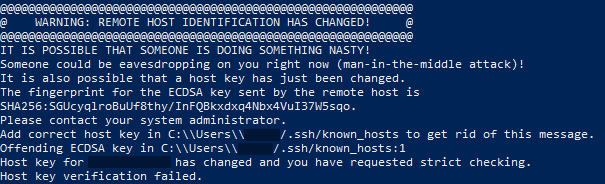
Warning: Remote host identification changed.
7. 3. 2026
This error appears if you are trying to connect to an SSH server that you have connected to at least once in the past, but the server's SSH certificate has changed in the meantime. This can happen, for example, after reinstalling the operating system on your VPS.
How to fix the error?
Open the file %USERPROFILE%\.ssh\known_hosts in a text editor and find the line that starts with your server IP. Delete this entire line from the file and save the file. This should resolve the issue.

Written by: Negix